
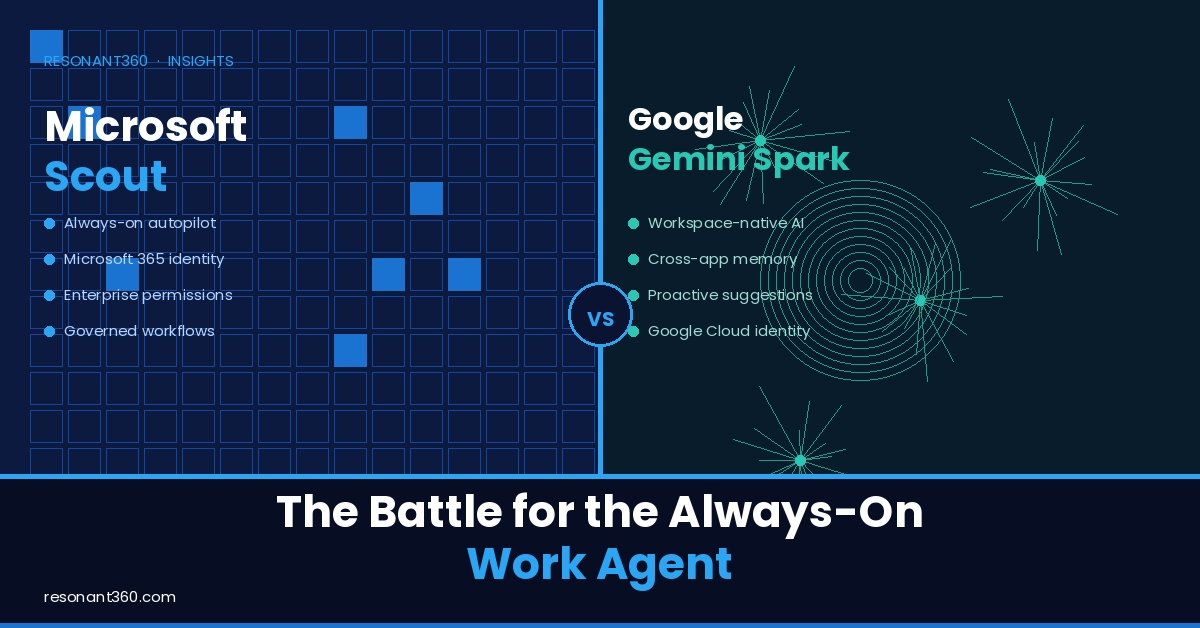
Microsoft Scout vs Google Gemini Spark: the battle for the always-on work agent
The next fight in enterprise AI is not just about which chatbot gives the better answer.
It is about which agent is allowed to keep working after the chat is over.
That sounds like a small shift. It is not.
For the last few years, most business AI has lived inside a simple pattern: ask a question, get an answer, copy, paste, edit and repeat.
That pattern has been useful. It helped leaders, sales teams, service teams, admins and operators understand what generative AI could do. It made writing easier. It made summarisation faster. It made research more accessible.
But it did not fundamentally change the operating model of work.
The bigger shift begins when AI moves from answering to acting.
An always-on agent does not wait for every prompt. It can watch for events, remember priorities, connect to systems, work in the background, prepare materials, update files, schedule time, draft messages, coordinate follow-ups and continue a task while the user is somewhere else.
That is why Microsoft Scout and Google Gemini Spark matter.
They are not just new AI features. They are early signals of the next productivity-suite war: the battle to become the place where always-on work agents live.
Microsoft is taking one path. Google is taking another.
For business leaders, the important question is not simply “Which one is better?”
The better question is: which architecture can safely act inside our business?
Chat was the bridge, not the destination
The chat interface made AI feel approachable. It let anyone type a request and receive a useful draft, answer, summary or explanation. That was the right first interface because it matched how people naturally ask for help.
But chat has limits. A chat assistant usually responds in the moment. It does not automatically keep track of unfinished work across days. It does not always know which system is the source of truth. It does not necessarily have permission to act. It may not know which actions are safe, which need approval and which are outside company policy.
That is acceptable when AI is helping with low-risk thinking work. It becomes a problem when AI starts touching live systems.
An agent that can read email, inspect documents, browse websites, write files, update spreadsheets, schedule meetings, send messages or run commands is not just a smarter assistant. It is a delegated actor.
That means the business has to ask a different set of questions:
- What identity does the agent use?
- What data can it access?
- What systems can it touch?
- What actions can it take?
- Which actions require approval?
- What gets logged?
- Who can audit the agent’s work?
- How are credentials protected?
- What happens when the agent is wrong?
Those are architecture questions. This is why the Scout-versus-Spark comparison matters. It is not really a product comparison. It is a control-model comparison.
Microsoft Scout: the Microsoft 365 governed autopilot
Microsoft describes Scout as its first “Autopilot” agent. That language matters.
A copilot helps while you steer. An autopilot keeps work moving while you are not actively steering every step.
Microsoft says Autopilots are always-on agents that work autonomously, have their own identity and act on behalf of users within the permissions and policies set by the user and organisation. Scout is the first expression of that idea inside Microsoft 365.
It is integrated across the Microsoft 365 apps people already use every day. Microsoft says Scout operates across cloud, desktop and web, connecting to Teams, Outlook, OneDrive and SharePoint, as well as chats, email, calendar and contacts. Users interact with it in Teams and can extend its reach through a desktop app to the browser, local resources and Model Context Protocol servers.
That is a much bigger surface area than a meeting summariser or writing assistant.
Microsoft’s official documentation also describes Scout as a desktop AI application that can act on files, run commands, control a browser and work with Microsoft 365 data. It can read and write workspace files, search locally, use web research, run shell commands, automate a browser, access email and calendar, work with Teams and OneDrive, and launch sub-agents for specialised work.
That is powerful. It is also risky if unmanaged.
Microsoft’s answer is to wrap Scout in the Microsoft enterprise control model. Scout is powered by OpenClaw open-source technology, but Microsoft is not positioning it as raw open-source automation. It is positioning Scout as OpenClaw-style capability inside Microsoft 365 governance.
That is the important distinction. Microsoft says Scout adds identity, credential and access controls around the open-source capability. Every Scout agent operates under its own governed Entra identity rather than as a shared anonymous service account. Credentials are scoped to the task, protected from logs or diagnostics and managed as part of the Microsoft service boundary. Sensitive actions can require human sign-off. Microsoft Purview policies, including sensitivity labels and data loss prevention, are enforced before data is sent or written.
Scout is Microsoft saying: if agents are going to act across work, they need to become governed actors inside the Microsoft 365 tenant.
That is a very Microsoft answer: identity first, policy first, tenant governance first.
For organisations already built around Microsoft 365, Entra, Purview, Teams, Outlook, SharePoint, OneDrive, Intune and Copilot, this is strategically important. It means the always-on agent is not being bolted onto the side of work. It is being placed inside the existing productivity and security fabric.
That does not make it automatically ready for every business. Scout is still a preview product. Access requires Frontier enrollment, Intune policy configuration and an opt-in attestation. Users also need a GitHub Copilot license to install and use the early experience.
Those details matter because this is not a mature, broadly deployed, set-and-forget product category yet. It is an early architecture signal.
And the signal is clear: Microsoft wants the always-on work agent to be governed through Microsoft 365.
Google Gemini Spark: the Gemini-native personal agent
Google is moving toward the same destination from a different direction.
Gemini Spark is Google’s 24/7 personal AI agent for productivity. Google describes it as an agent that can work in the background even when a user’s phone or laptop is turned off. It operates autonomously, but under the user’s direction, and is designed to check before taking major actions.
Spark is built around three ideas: tasks, schedules and skills. Tasks define the goal the user wants the agent to manage. Schedules define the timing or trigger that tells the agent when to run. Skills are reusable instructions and context that teach Spark how to do recurring work.
That is a very Google answer. Make the agent feel natural. Tie it into Gmail, Calendar, Drive, Docs, Sheets, Slides, YouTube, Maps and the broader Gemini experience. Let the user describe work in plain language. Let the agent run in the background. Let it connect the dots across the user’s digital life.
Official Google material says Spark can connect natively with Google apps such as Gmail, Calendar, Drive, Docs, Sheets, Slides, YouTube and Google Maps, with those connections turned off by default until the user enables them. Google also says Spark runs on Gemini 3.5 Flash and Antigravity.
The support documentation gives a practical sense of what this means. Spark can use connected apps, a remote browser, a remote computer with code execution data, Personal Intelligence, Skills and Schedules. It can search and summarise Gmail, draft and reply to emails, manage labels, check and update Calendar events, search Drive, read file contents, create and edit Docs, build Sheets, generate Slides and organise files.
It can also use a remote browser. If a task requires direct user intervention, the user can take over the browser, complete the step and hand control back to Gemini.
Google is also explicit that supervision matters. The Spark help documentation warns users not to enter sign-in information, payment details or sensitive information directly into a task thread. It says some schedules may run while the user is offline, which means the user may not be able to stop Gemini before it completes an unintended action. It also notes prompt injection risks, including the possibility that hidden instructions in websites, emails, documents or other content could try to mislead the agent.
That honesty is useful. It shows the real shape of the product category.
An always-on agent can save time. It can also act at the wrong time, on the wrong context, with the wrong instruction, against the wrong system.
Google’s answer is not the same as Microsoft’s. Spark appears more Gemini-native and Workspace-integrated. It is less about an enterprise directory identity story and more about a personal productivity agent that can operate across the Google ecosystem through Tasks, Skills, Schedules, connected apps and remote browsing.
That may be exactly right for many users and teams. But enterprise buyers need to be careful.
As of June 2026, Spark is still rolling out. Google says it is available to trusted testers and coming to Google AI Ultra subscribers over 18 in the United States, as well as select business users. Compatibility and availability vary.
That means leaders should not treat Spark, Gemini for Workspace, Gemini Enterprise, Vertex AI, Antigravity and Google Cloud agent tooling as one interchangeable thing. They may be related parts of the Google AI ecosystem. They are not all the same product, and they should not be governed as if they were.
The real difference is not features. It is architecture
It is tempting to compare Scout and Spark feature by feature. Can it read email? Can it schedule meetings? Can it create documents? Can it browse websites? Can it run in the background?
Those questions are useful, but they are not enough. Feature comparisons get stale quickly. Agent capabilities will keep changing. Microsoft will add features. Google will add features. Other vendors will add features. The surface area will expand.
The more durable comparison is architectural.
Microsoft Scout appears to represent an OpenClaw-rooted, Microsoft 365-governed path. Google Gemini Spark appears to represent a Gemini-native, Workspace-integrated path.
With Scout, the strategic centre of gravity is Microsoft 365 governance. The agent becomes part of the tenant’s identity, policy, access and data protection structure. The underlying OpenClaw connection matters because it points toward a more open agent infrastructure pattern, but Microsoft is adding the enterprise wrapper that makes it more suitable for corporate use.
With Spark, the strategic centre of gravity is Gemini and Google Workspace. The agent becomes a natural extension of Gmail, Calendar, Drive, Docs, Sheets, Slides and connected Google services. The Tasks, Skills and Schedules model makes automation feel approachable. The remote browser and remote computer pattern gives Spark a way to continue work beyond a single app session.
Neither approach is universally better. They solve different problems in different operating environments.
For a Microsoft-heavy organisation, Scout may fit more naturally into existing governance, security, identity and collaboration patterns.
For a Google-heavy organisation, Spark may fit more naturally into everyday work across Gmail, Calendar, Drive and Docs.
For an organisation with strong Salesforce operations, neither should be seen as the whole enterprise AI architecture.
That is where many buyers will make the mistake. They will ask: should we choose Microsoft or Google?
The better question is: which work belongs in the productivity suite, which work belongs in the system of record and which work needs a custom governed layer?
Be careful with the model-agnostic claim
One of the most interesting parts of the Scout story is OpenClaw. Open agent infrastructure matters because it may create more room for portability, extensibility, local execution, model routing and ecosystem development over time.
But this point needs to be handled carefully. Scout being powered by OpenClaw does not automatically mean Scout supports full bring-your-own-model choice. That may become part of the broader architecture conversation, but it should not be claimed unless Microsoft clearly says it.
The same caution applies to Google. Google says Gemini Spark runs on Gemini 3.5 Flash and Antigravity. That suggests Spark is a Gemini-native product experience. Google’s broader cloud ecosystem may support more model choice in other contexts, especially through Google Cloud and Vertex AI patterns, but that does not mean Spark itself should be described as model-agnostic.
This matters because model flexibility is becoming a real enterprise issue. Businesses will not want every task to run through the same model forever. Some work needs frontier reasoning. Some work needs low-cost summarisation. Some work needs local or private inference. Some work needs low latency. Some work needs stronger privacy boundaries. Some work needs a specific vendor because of compliance, support or data residency.
The strategic endgame is not model loyalty. It is governed routing. But buyers should not assume every new agent product gives them that today.
They need to ask directly:
- Which model is being used?
- Can the model be changed?
- Can tasks be routed by sensitivity, cost or complexity?
- Can low-risk work use cheaper models?
- Can sensitive work stay local or private?
- What happens to prompts, outputs, files and logs?
- Are there audit records for model calls and tool actions?
Without those answers, the model-flexibility story is still mostly aspiration.
Productivity agents are not systems of record
Scout and Spark are aimed at the productivity layer. That is where much of the working day happens: email, calendar, meetings, documents, slides, spreadsheets, chats, files, follow-ups, briefings and internal coordination.
This is the natural home for always-on personal agents because so much coordination work lives there. But productivity systems are not the same as systems of record.
A productivity agent can prepare a meeting brief. It should not automatically redefine the truth of the customer relationship.
A productivity agent can draft a response. It should not necessarily approve a refund, alter a renewal forecast or change a contractual commitment without governed process.
A productivity agent can help organise files. It should not silently change operational records that downstream teams depend on.
This is where Salesforce Agentforce belongs in the conversation. Salesforce is not just another place to put an assistant. For many organisations, Salesforce is where customer data, revenue operations, service workflows, account history, cases, opportunities, approvals, permissions, metadata and business process live.
That makes it a different kind of AI environment. The Salesforce Trust Layer is designed around protections such as grounding in CRM data, masking sensitive data, toxicity detection, audit trail and feedback, and zero data retention agreements with third-party LLM partners.
That does not mean every AI workflow belongs inside Salesforce. It means the system-of-record boundary matters.
The future is likely to be hybrid: Microsoft Scout or Google Gemini Spark for productivity-suite work, Salesforce Agentforce for CRM, customer, revenue and service workflows, and custom AI-native systems for cross-system orchestration, company-brain layers, document-heavy workflows, local/private execution and model-routing experiments.
The security problem is delegated authority
Always-on agents create a new version of an old security problem. Who is allowed to act? What are they allowed to touch? How do we know what they did?
The difference is that the actor may no longer be a human sitting at a keyboard. It may be an agent operating in the background.
That raises a practical risk list:
- Prompt injection from websites, emails, documents or files.
- Tool injection through unsafe connectors or plugins.
- Over-permissioned agents.
- Credential exposure.
- Unauthorised sends, writes, deletes or updates.
- Data leakage through connected apps or remote browsing.
- Weak audit trails.
- Hidden automations running while users are offline.
- Cost blowouts from poorly scoped background tasks.
- Human approval fatigue.
- Shadow agents deployed without IT visibility.
These risks do not mean always-on agents should be avoided. They mean they should be governed like real operating infrastructure.
That requires identity and access design, least-privilege permissions, data classification, tool and connector inventory, human approval gates, audit logs, monitoring, incident response, cost controls, testing against prompt injection and tool abuse, and clear ownership of every deployed agent workflow.
This is where the conversation has to move beyond demos. A demo shows what an agent can do. Governance decides what it should be allowed to do.
The questions buyers should ask now
Before adopting Scout, Spark or any always-on agent, business leaders should ask a simple set of questions.
Start with identity: does the agent have its own identity? Is every action attributable? Is the identity governed through the same controls as human users? Can administrators disable the agent by user, group, app, data class or action type?
Then ask about access: which apps can the agent connect to? Which data can it read? Which records can it write? Which files can it create, edit, rename, move or delete? Which browser sessions, local resources, remote computers or MCP servers can it reach?
Then ask about approval: which actions happen automatically? Which actions require review? Which actions are prohibited? Can the approval rules be configured by risk level? What happens if the user is offline?
Then ask about observability: what is logged? Can administrators audit actions after the fact? Can the business see which files, emails, websites, records or tools were used? Can the business replay or explain a decision path?
Then ask about data: what data is used for model improvement? What is retained? What is deleted? Where is it processed? What happens to remote browser data, remote computer data and generated files?
Then ask about cost: what license is required? Is usage metered? Are there credits or consumption limits? What happens if background tasks run too often? Can budgets or task limits be enforced?
These questions are not procurement bureaucracy. They are the difference between useful automation and uncontrolled automation.
Proof before platform commitment
The wrong way to adopt always-on agents is to begin with a broad rollout. That is how businesses turn a promising capability into a governance mess.
The better path is proof-before-proposal.
Pick one constrained workflow. Use representative but low-risk data. Define the allowed systems. Define the allowed actions. Require approval for writes. Measure the time saved. Measure the quality of output. Measure how often the agent asks for help. Measure what users trust and what they reject.
Test whether permissions behave as expected. Test whether prompt injection can manipulate the workflow. Test whether audit logs are good enough. Test whether the agent can hand work cleanly to Salesforce, ClickUp, Google Drive, Microsoft 365 or whatever system actually owns the process.
Then decide.
That proof may show the agent is ready for wider use. It may show the workflow is not worth automating. It may show the data is too messy. It may show the permissions are wrong. It may show the productivity-suite agent is useful for preparation, but Salesforce or a custom system needs to own the final action.
All of those outcomes are valuable. They replace opinion with evidence.
The strategic choice
Microsoft Scout and Google Gemini Spark point to the same future: AI that does not just answer, but works.
But they package that future differently.
Microsoft is pushing toward a governed Microsoft 365 Autopilot model: OpenClaw-rooted agent capability wrapped in identity, policy, credentials, access control and enterprise data protection.
Google is pushing toward a Gemini-native personal agent model: Tasks, Skills and Schedules working across Google apps, remote browsing and the broader Gemini experience.
Both are important. Neither removes the need for architecture.
The real strategic choice is not just Microsoft versus Google. It is where agents should live, where they should act, which systems are allowed to be sources of truth, which actions should remain human-approved, which workflows should be handled by Salesforce, which workflows should be handled by the productivity suite, which workflows need custom AI-native architecture, which parts of the model layer should be swappable over time and which parts of the control plane must be owned and governed.
Those are the questions that decide whether always-on agents become an operating advantage or another layer of unmanaged software risk.
The Resonant 360 view
At Resonant 360, our view is that the next stage of AI maturity is not about buying the newest agent and hoping the workflow changes around it.
It is about designing a governed AI operating layer.
That means understanding where Microsoft 365 belongs. It means understanding where Google Workspace belongs. It means understanding where Salesforce Agentforce belongs. It means understanding where custom AI-native architecture belongs. And it means proving value before committing to major spend.
For some clients, Scout may become the natural agent layer because Microsoft 365 already carries their work, identity and policy model.
For others, Spark may become the natural agent layer because Google Workspace already carries their daily coordination, documents and communication.
For Salesforce-centred organisations, Agentforce may be the right place for governed customer, revenue and service action.
For complex internal operating models, the right answer may be a custom company-brain layer that connects documents, processes, dashboards, systems and people under a governance model the business can actually inspect.
The point is not to chase the most impressive demo. The point is to decide what the agent is allowed to become.
An always-on agent can be a powerful assistant. It can also become an invisible actor with too much access and too little oversight. The difference is architecture.
The companies that win this next phase will not simply deploy more agents. They will govern them better. They will know which agents belong in productivity suites, which belong in systems of record and which need custom control. They will test before they scale.
They will treat AI access as seriously as system access. And they will understand that the future of work is not just more automation. It is delegated authority.
That is why Microsoft Scout versus Google Gemini Spark matters. It is not a feature race. It is the beginning of a new enterprise architecture decision.
Supporting sources for publication review
- Microsoft, Introducing Microsoft Scout: Your always-on personal agent, accessed 12 June 2026.
- Microsoft Learn, Use Microsoft Scout, accessed 12 June 2026.
- Google, Gemini Spark: Your 24/7 personal AI agent, accessed 12 June 2026.
- Google Blog, The Gemini app becomes more agentic, delivering proactive, 24/7 help, accessed 12 June 2026.
- Google Help, Use Gemini Spark to manage your tasks and workflows in Gemini Apps, accessed 12 June 2026.
- Salesforce Developers, Agentforce Trust Layer, accessed 12 June 2026.
- OWASP GenAI Security Project, LLM Top 10, accessed 12 June 2026.
- NIST, AI Risk Management Framework, accessed 12 June 2026.
Need AI assistance?
Our team of experts are ready to help you with all your AI needs. Send us a message by filling out the form below.