
Prompts vs skills vs plugins: The AI capability stack business leaders need to understand
Most business leaders are still talking about AI as if it is mainly a prompting problem.
Write a better prompt. Choose a better model. Train the team to ask better questions.
Those things matter. But they are not the whole game anymore.
The real shift in business AI is not from bad prompts to good prompts. It is from AI that answers, to AI that repeats useful work, to AI that connects with business systems and takes action.
That is where the language starts to get messy.
- Prompts.
- Skills.
- Plugins.
- Connectors.
- Tools.
- Agents.
Vendors use these words differently, and the definitions change quickly. But the underlying business distinction is simple:
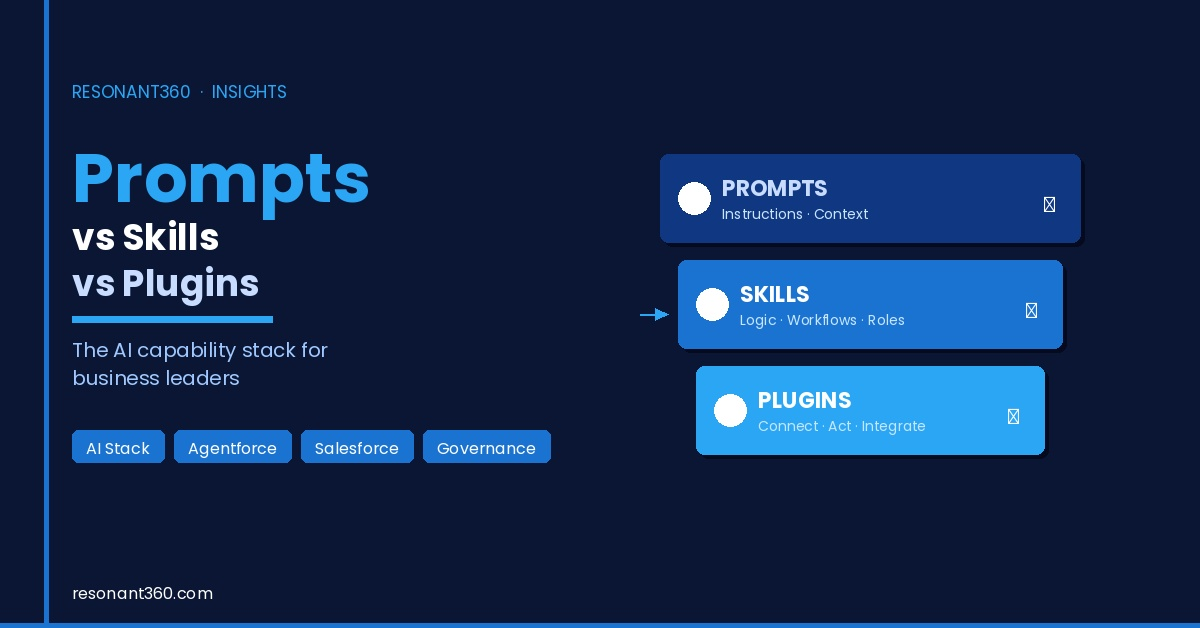
Prompts instruct. Skills repeat. Plugins connect.
That may sound like a technical distinction, but it is actually a governance distinction.
A prompt can shape what the AI says. A skill can shape how the AI does a repeatable piece of work. A plugin can let the AI touch a live system.
Those are three very different levels of power. They are also three very different levels of risk.
The AI adoption gap is not just a technology problem
Companies are spending heavily on AI, but many are still struggling to turn that investment into measurable operating value.
Research from Writer, McKinsey and Gartner points to the same underlying issue: AI access is not the same as AI maturity. Giving people a chat window does not automatically redesign a workflow. Giving teams model access does not automatically create governance. Launching a few pilots does not automatically produce enterprise transformation.
The companies that get real value from AI will not be the ones with the longest prompt libraries or the most enthusiastic demo culture.
They will be the ones that understand the capability stack around the model:
- What instructions guide the AI?
- What repeatable work can it perform consistently?
- What systems can it access?
- What data can it read?
- What actions can it take?
- Who approves high-risk work?
- What gets logged?
- What happens when the AI is wrong?
That is why prompts, skills and plugins matter. They are not buzzwords. They are the basic vocabulary of governed enterprise AI.
The power of three
The easiest way to understand the distinction is to compare AI to an employee.
A prompt is like an instruction. It tells the employee what you want, how to respond, what tone to use, what context to consider and what constraints to respect.
A skill is like a playbook. It gives the employee a repeatable way to perform a category of work: prepare a proposal, review a Salesforce change, summarize a support case, clean a spreadsheet, draft a training guide or prepare a project plan.
A plugin is like a system login. It gives the employee access to a tool, application, database or workflow. With the right access, they can retrieve files, update records, send messages, create tickets, trigger automations or change live business data.
That analogy is useful because it makes one thing obvious: you would not govern a training instruction, a work playbook and a system login in the same way. The same is true for AI.
Prompts: the cognitive layer
Prompts are the most familiar layer of AI. A prompt is an instruction written in natural language. It may be a one-off request from a user, a saved template, a system instruction, a role description, a tone guide or a dynamic prompt that pulls in customer data from a system like Salesforce.
Prompting is useful because language models are highly sensitive to context. A vague instruction produces vague output. A precise instruction can improve structure, quality, tone and relevance.
For business use, prompts can help with:
- Drafting emails.
- Summarizing meetings.
- Turning notes into actions.
- Producing first-draft content.
- Creating report commentary.
- Explaining technical concepts.
- Preparing discovery questions.
- Rewriting material for different audiences.
- Turning messy inputs into structured outputs.
That is valuable. But prompt-only AI has a ceiling.
Prompts do not create reliable operations by themselves. A prompt can ask an AI to follow company policy, but if the policy is not current, accessible and grounded in the task, the AI may still improvise. A prompt can ask an AI to use the latest customer record, but if the AI is not connected to the system of record, it cannot know whether the record is current. A prompt can ask an AI to never expose confidential information, but a prompt is not a permission model.
This is the first mistake many companies make. They treat prompting as the operating model.
Prompting is not the operating model. Prompting is the instruction layer. It helps the AI understand the task. It does not, on its own, create repeatability, access control, auditability or safe execution.
Why prompts become fragile at scale
Prompts are powerful because they are flexible. They are fragile for the same reason.
If every team writes its own prompts, the business quickly ends up with different versions of the same process. Sales has one way of summarizing an account. Service has another way of triaging a case. Operations has another way of preparing an escalation. Leadership has no reliable view of which instructions are being used, whether they are current or whether they align with company policy.
The second problem is context bloat. As teams try to make prompts more reliable, they often add more rules, examples, background, edge cases, formatting constraints and policy detail.
That can improve performance up to a point. But it also increases cost, latency and confusion. A giant prompt can become a junk drawer of half-compatible instructions. The model may follow some parts, ignore others or over-weight the wrong detail.
For low-risk personal productivity, that may be acceptable. For enterprise workflows, it is not enough. That is where skills become important.
Skills: the competency layer
A skill is a reusable capability. It packages a way of doing work so the AI can perform a category of task more consistently. Depending on the platform, a skill may include instructions, examples, templates, workflow steps, reference files, validation rules, scripts or tool guidance.
The important difference is this: a prompt tells the AI what to do now. A skill gives the AI a reusable way to do a type of work.
For a business, this is a major step forward. Instead of each person inventing their own prompt for proposal writing, the company can create a proposal skill. Instead of each Salesforce admin asking AI to review a change, the company can create a Salesforce change-review skill. Instead of every project manager improvising how they turn meeting notes into actions, the company can create a delivery follow-up skill.
Good skills turn scattered know-how into repeatable operating capability.
They can help with:
- Proposal drafting.
- Salesforce change analysis.
- Requirements clarification.
- Test plan generation.
- Document review.
- Spreadsheet cleanup.
- Content production.
- Research briefings.
- Support triage.
- Meeting preparation.
- Internal training workflows.
- Implementation checklists.
- Governance reviews.
This is where AI starts to become more than an individual productivity tool. It becomes an enablement layer.
Skills reduce cognitive load
One of the best ideas behind skills is progressive loading.
The AI does not need every instruction for every task all the time. It needs the right instructions for the right task at the right moment.
That matters because context is not free. Every extra instruction can add cost, latency and complexity. More context is not always better context.
Skills help by keeping expertise modular. A legal review skill does not need to load during a sales email task. A Salesforce metadata skill does not need to load during a marketing content task. A spreadsheet cleanup skill does not need to load during a customer escalation task.
The right skill can be invoked when the task calls for it. That is closer to how people work. We do not hold every procedure in active memory every second of the day. We reach for the right playbook when the work demands it.
Skills need governance too
Skills sound safer than plugins because they are not necessarily touching live systems. But they still need governance.
A poorly designed skill can encode bad practice. It can repeat outdated advice. It can guide users around approval processes. It can teach junior staff to make changes without understanding downstream consequences. It can create a false sense of consistency while quietly spreading flawed logic.
For business use, every serious skill needs an owner. It should have:
- A clear purpose.
- A defined audience.
- Version control.
- Source materials.
- Review cadence.
- Testing examples.
- Escalation guidance.
- Known limitations.
- A retirement process when it becomes outdated.
This is where many companies will discover that AI enablement is not just training people to use tools. It is documenting how the business wants work to be done. That is valuable even before the AI enters the picture.
Plugins: the execution layer
Plugins, connectors and tools are where the risk profile changes sharply.
A plugin lets AI connect to an external system. That system might be Google Drive, Gmail, Slack, ClickUp, Salesforce, Jira, GitHub, a calendar, a database, an ERP, a finance platform, a marketing platform or a custom internal API.
This is the layer that moves AI from advice to action.
A prompt can ask the AI to draft a customer response. A skill can guide the AI through the approved customer-response workflow. A plugin can let the AI retrieve the customer’s latest case history, check entitlement, create a follow-up task and update the CRM record.
That is a completely different level of business value. It is also a completely different level of responsibility.
Read access is not the same as write access
The most important plugin distinction for business leaders is read versus write.
Read-only access lets the AI retrieve information. For example:
- Search approved documents.
- Summarize account history.
- Retrieve a customer support policy.
- Find the latest contract.
- Inspect project tickets.
- Look up meeting notes.
Write or action access lets the AI change something. For example:
- Update a Salesforce record.
- Send an email.
- Create a support ticket.
- Change a task status.
- Trigger a refund process.
- Modify a file.
- Start an approval workflow.
- Post into a customer-facing channel.
Those two access levels should never be treated casually. Read access can still leak confidential data if permissions are weak. Write access can create operational damage if actions are over-scoped.
This is why AI connected to our systems is not a single category. A read-only document search assistant and a multi-system agent that can update CRM records, send emails and trigger finance workflows are not the same thing. They require different controls.
The agent is where the layers combine
An agent combines instructions, context, tools, planning and action.
In simple terms:
- The prompt sets the role and task.
- The skill provides the reusable way of working.
- The plugin provides access to systems.
- The agent decides how to coordinate them.
This is why the word agent is both exciting and dangerous.
Sometimes a product called an agent is really a chatbot with better instructions. Sometimes it is a workflow automation with natural language on the front. Sometimes it is a genuinely agentic system that can plan steps, select tools, retrieve context, call APIs, observe results and continue until the task is complete.
The business question is not, “Is this an agent?” The better question is: “What can it access, and what can it do?”
That question cuts through the hype.
- If it can only answer from a prompt, it is low power and lower risk.
- If it can read company documents, it needs data controls.
- If it can write to live systems, it needs approvals, audit logs and scope boundaries.
- If it can operate across multiple systems, it needs architecture.
- If it can act in front of customers, it needs escalation paths, monitoring and accountability.
The business risk ladder
Here is a practical way to think about the capability stack.
- Prompt-only AI: Draft an email or summarize notes. The upside is fast personal productivity. The primary risk is inconsistent output or hallucination.
- Prompt templates: Approved templates for proposals or case summaries. The upside is better consistency across teams. The primary risk is outdated or copied templates.
- Skills: Reusable workflows for Salesforce change review or support triage. The upside is repeatable operating capability. The primary risk is bad process becoming repeatable.
- Read-only plugins: Search approved documents, tickets or CRM history. The upside is better context and less manual lookup. The primary risk is data leakage through weak permissions.
- Write-capable plugins: Create tasks, update records or trigger workflows. The upside is real operational leverage. The primary risk is unauthorized or incorrect actions.
- Multi-system agents: Coordinate CRM, docs, tickets and messaging. The upside is cross-functional workflow automation. The primary risk is cascading errors across systems.
- Customer-facing agents: Resolve cases, answer questions or guide transactions. The upside is faster service and scalable support. The primary risk is brand, compliance and customer trust risk.
- High-stakes agents: Legal, financial, HR, security or regulated workflows. The upside may be major efficiency in complex work. The primary risk is serious legal, financial or compliance harm.
This ladder matters because it prevents overreaction in both directions. Not every AI use case needs a six-month governance program. But not every AI use case should be treated like a harmless productivity experiment. The controls should match the level of capability.
Where Salesforce fits
Salesforce matters in this conversation because it already contains many of the things enterprise AI needs when it moves from answering to acting.
- Customer records.
- Metadata.
- Permissions.
- Sharing rules.
- Field-level security.
- Workflow automation.
- Flows.
- Apex.
- Audit trails.
- Approvals.
- Data Cloud, now increasingly positioned as Data 360.
- Agentforce.
- The Einstein Trust Layer.
For customer, revenue, service and operational workflows, Salesforce can be a strong governed foundation because the AI is not floating above the business. It can operate closer to the system of record and the permission model that already defines who can see and do what.
The strategic point is not that every company should put every AI workflow inside Salesforce. The strategic point is that Salesforce is a serious place for governed AI action when the work depends on customer data, CRM records, service processes, revenue operations, permissions, workflow and auditability.
An agent that can update customer records should not be treated like a general-purpose chatbot. It should operate inside a governed business platform.
Where custom AI-native layers fit
Salesforce is powerful, but it is not the answer to every AI workflow.
Many companies need AI capability that spans documents, internal knowledge, project history, operational procedures, custom databases, collaboration tools, spreadsheets, websites, contracts, technical manuals and specialist workflows that do not belong neatly inside CRM.
That is where custom AI-native architecture matters.
A custom AI operating layer may be the better choice when the business needs:
- Cross-system orchestration.
- Internal company-brain workflows.
- Document-heavy knowledge work.
- Specialist research workflows.
- Local or private model routing.
- Lightweight internal tools.
- Custom approval experiences.
- Bespoke operating logic.
- AI interfaces that sit across multiple platforms.
This is also where the Model Context Protocol matters. MCP is an open standard for connecting AI applications to external tools and data sources. For business leaders, the important point is not the protocol detail. The point is that AI integration is becoming more standardized.
Instead of every model needing a custom connector to every tool, businesses can increasingly think in terms of a governed tool layer: approved servers, approved actions, approved scopes, approved data sources and approved logs.
The security problem: tool access changes everything
Prompt injection is already a known risk. A user or external document can try to override the model’s instructions. But the risk becomes more serious when the AI has tools.
If an AI system can only generate text, a bad instruction may produce a bad answer. If an AI system can call tools, a bad instruction may trigger a bad action.
Security risks such as prompt injection, excessive agency, tool poisoning and unapproved connector use describe the same business issue in different technical forms: the AI may be influenced by untrusted content, over-permissioned tools or compromised tool descriptions.
That can lead to:
- Data leakage.
- Unauthorized tool use.
- Wrong system updates.
- Exfiltration through connected tools.
- Actions outside policy.
- Hidden instructions in documents.
- Unsafe cross-system workflows.
- Agents that are difficult to monitor or shut down.
The lesson is simple. Do not rely on prompts as the security boundary.
Security needs to live in the architecture:
- Access controls.
- Least privilege.
- Tool allowlists.
- Permission inheritance.
- Human approval.
- Audit logs.
- Monitoring.
- Testing.
- Data classification.
- Secure credential management.
- Incident response.
If the agent can act, the business needs to govern the action path.
The governance model
A practical AI governance model should not begin with fear. It should begin with classification.
What level of capability are we dealing with? Prompt-only productivity? Reusable skills? Read-only connectors? Write-capable actions? Customer-facing agents? High-stakes autonomous workflows?
Each level needs different controls. For a prompt library, governance may be as simple as ownership, review and training. For a skill library, the business needs versioning, source material, test examples and process accountability. For plugins, the business needs access review, least-privilege permissions, credential management and logs. For agents, the business needs workflow design, human approval, exception handling, observability and kill-switch planning.
This is where AI becomes operationally serious. It is no longer just “who can use ChatGPT?” It becomes:
- Which systems can AI access?
- Which records can it retrieve?
- Which fields are sensitive?
- Which actions are allowed?
- Which workflows require approval?
- Who owns each skill?
- Who reviews each connector?
- Who monitors agent behaviour?
- Who can pause or revoke access?
That is the work most companies have not done yet.
What businesses should build first
The best early AI use cases are usually not the flashiest. They are high-frequency, low-risk workflows where better context and repeatability create immediate value.
Good first use cases include:
- Internal research summaries.
- Meeting follow-up drafts.
- Proposal first drafts.
- Salesforce change documentation.
- Support case summarization.
- Knowledge base cleanup.
- Project handover notes.
- Report commentary.
- Spreadsheet analysis.
- Training material creation.
- Read-only search across approved documents.
These use cases are useful because they build capability without immediately handing AI the keys to high-risk systems.
The next step is usually controlled tool access. For example:
- Retrieve customer context from Salesforce.
- Search approved implementation documents.
- Create draft tasks for human review.
- Generate test plans from requirements.
- Prepare change-impact summaries.
- Draft support responses that a person approves.
This is where the business starts learning how to govern connected AI.
Bad first use cases are usually the opposite: dirty data, unclear process ownership, no approval path, high-stakes customer decisions, financial transactions, legal or HR determinations, broad write access across multiple systems or sensitive workflows without auditability.
There is no prize for automating the riskiest workflow first. The smarter path is to build confidence, controls and proof.
A practical implementation roadmap
For most mid-market and enterprise businesses, the path should look something like this.
- Map current AI use. Find out where AI is already being used, including unofficial tools. Map the tools, teams, data types and common workflows.
- Define the capability stack. Classify use cases by level: prompt, template, skill, read-only connector, write-capable connector or agent.
- Build a prompt and skill library. Start with repeatable internal workflows. Create approved prompts and skills for common work. Give each one an owner.
- Review connectors and permissions. Before connecting AI to systems, review approved tools, readable data, allowed actions, credentials and logs.
- Pilot low-risk connected workflows. Begin with read-only or draft-only workflows while humans remain in control of final execution.
- Add controlled action. Allow limited write actions in well-defined areas only after the workflow is understood.
- Add observability. The business needs to know what the AI did, what it used, what it changed and where it failed.
- Move toward governed agents. Scale toward autonomy only after data discipline, permissions, reusable skills, approved connectors, human approval patterns and monitoring are in place.
That is how agentic AI becomes an operating capability rather than another pilot graveyard.
The real strategic choice
The AI conversation has spent too much time asking which model is best.
The better question is: what capability layer are we building around the model?
Prompts are necessary, but they are not enough. Skills are powerful, but they need ownership. Plugins unlock operational value, but they require governance. Agents combine all three, which is why they can be transformative and dangerous at the same time.
For Salesforce-centered organizations, the opportunity is to use Agentforce, Data 360, permissions, metadata, Flow, Apex and the Einstein Trust Layer as a governed foundation for customer and operational AI.
For workflows that sit outside Salesforce, the opportunity is to build custom AI-native layers that connect documents, systems, people and processes through controlled architecture rather than scattered tool adoption.
The future is not prompt engineering alone. It is capability engineering.
The companies that understand this will build AI systems that are useful, repeatable and safe. The companies that do not will keep confusing demos with transformation.
The Resonant 360 view
At Resonant 360, we see the next stage of AI maturity as a practical architecture problem.
Not every workflow needs an agent. Not every problem belongs in Salesforce. Not every team needs custom software.
But every serious business needs to understand the difference between instruction, repeatable capability and connected action.
That is the foundation for governed AI.
Prompts instruct. Skills repeat. Plugins connect.
Once leaders understand that stack, the AI roadmap becomes much clearer:
- Start with useful internal capability.
- Package repeatable work.
- Connect systems carefully.
- Govern action before scaling autonomy.
That is how businesses move from AI experimentation to AI operating advantage.
Need AI assistance?
Our team of experts are ready to help you with all your AI needs. Send us a message by filling out the form below.